1.3.0
CurrentBoncuk is now called ScreenCharms. The download is a disk image signed with an Apple Developer ID and notarized by Apple, so it opens with a double-click.
Don’t pay a fortune for apps. Everything here is free, and completely legal. See the apps
Charms that hang from the top of your Mac screen and swing on a real cord. An evil eye bead, a star, a tulip, a tea glass. Flick one with your cursor, drag it, let it swing. That is the whole app.
Until version 1.3.0 it was called Boncuk, the Turkish word for bead.

Verlet integration with distance constraints, not a looping animation. Flick a charm and it carries the momentum you gave it, then settles.
The strip is transparent and click-through. The cursor only stops passing through while it is directly over a charm, so nothing you need is ever blocked.
Sweep the cursor through a charm to flick it, grab and release it to swing it, or drag its gold pin to slide it along the top of the screen.
A glass bead darts about and settles quickly; a copper coffee pot shrugs off a flick and keeps swinging. Each charm has its own mass.
Nazar, Sky and Anatolia; Trinkets, small and bright; Lifelike, the same idea photographed; Luck, charms people carry the world over; and Turning.
The Turning pair were modelled in 3D and rendered from thirteen angles, so as they swing they show their edge and their own thickness instead of rotating a flat picture.
A charm swinging through the light catches a band of it that slides across the other way, instead of carrying its highlight round with it like a sticker.
Gold thread, silver chain, red thread, braid, leather, prayer beads, twine and blue beads. Each one hangs and moves a little differently.
The loop sleeps when nothing is moving, so a still screen costs no CPU. Reduce Motion is respected, and Hold still stops the swinging altogether.
Eight of the forty-one
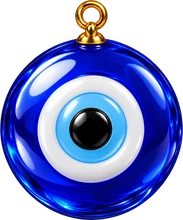
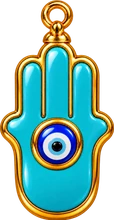






An evil eye bead, a hamsa, a horseshoe, a crescent and star, a tulip, a glass of tea, a beckoning cat and a four-leaf clover. The art is original to ScreenCharms; these are the pictures it ships with, taken straight out of the app.
ScreenCharms is signed with an Apple Developer ID and notarized by Apple, so it installs like any other Mac app. No right-click trick, nothing to allow in System Settings.
Open ScreenCharms-1.3.0.dmg. A window shows ScreenCharms next to your Applications folder.
Drag ScreenCharms onto Applications, then eject the disk image.
Open it from Applications. macOS asks once whether you want to open an app downloaded from the internet; choose Open. One download runs natively on both Apple silicon and Intel Macs.
Look up. An evil eye bead is already hanging under the menu bar, and ScreenCharms has a small round icon in the menu bar itself. Click it and choose Charm Shelf… to pick your own charms and cords.
No permissions are requested. ScreenCharms does not need Accessibility, Input Monitoring or Screen Recording access. It knows where the cursor is, and that is all it asks for.
There is no networking code in ScreenCharms at all: no analytics, no update check, no phoning home. It never reads your screen, your windows, your keystrokes or your files. Your settings live on your Mac and go away with the app.
Boncuk is now called ScreenCharms. The download is a disk image signed with an Apple Developer ID and notarized by Apple, so it opens with a double-click.
A new icon: a flat evil eye, drawn rather than rendered, so it still reads at 32 pixels.
No more sudden jumps: a flick can no longer throw a charm faster than its cord could carry it, and letting go of a charm no longer flings it. The Studio is now the Charm Shelf.
The Turning pair: a glass eye and a gold coin, modelled in 3D and rendered from thirteen angles, so they really turn as they swing. Forty-one charms in all.
Every charm made again as a rendered object, with one light falling on all of them. Three new sets (Trinkets, Lifelike and Luck) for thirty-nine charms, and the light now stays where it is while a charm swings through it.
First public release. Charm sets, eight cords, the Studio for arranging them, Reduce Motion support and the idle sleep that keeps a still screen at zero CPU.
The code is MIT licensed; the charm artwork is original to the project. Credit where it is due: the idea of charms on a menu-bar rail came from Swaybles (MIT), which uses the same approach for its cord. The code and the art here are ScreenCharms' own.
28.9 MB, macOS 14 or newer, free in full. Nothing to sign up for.
Download ScreenCharms 1.3.0Bug reports go to [email protected]